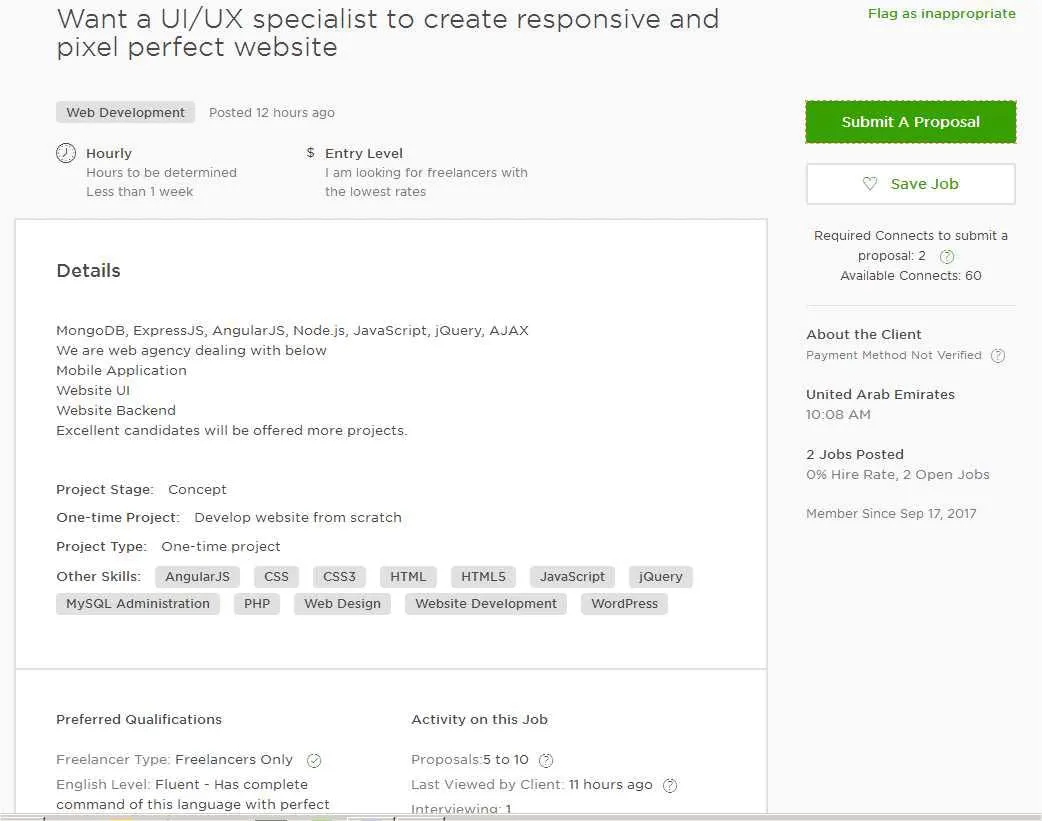
UX UI Cover Letter Understanding the Importance
In the competitive world of UX/UI design, a compelling cover letter is your first opportunity to make a strong impression. More than just a formality, a well-crafted UX UI cover letter serves as a crucial introduction, allowing you to showcase your personality, passion, and the unique value you bring to the table. It’s your chance to go beyond the bullet points of your resume and tell a story, demonstrating how your skills and experience align with the specific requirements of the role and the company’s culture. A cover letter that impresses can significantly increase your chances of landing an interview and ultimately, securing your dream job in the UX/UI field. This document provides a platform to elaborate on your design philosophy and communicate why you are the ideal candidate.
The Role of a Cover Letter
The primary role of a UX UI cover letter is to act as a personalized introduction to the hiring manager. It’s a chance to express your genuine interest in the company and the specific position, demonstrating that you’ve taken the time to research and understand their needs. Furthermore, it’s an opportunity to highlight relevant projects from your portfolio, explaining your design process and the impact of your work in a concise yet engaging manner. The cover letter helps humanize your application, showcasing your communication skills, your passion for design, and your ability to articulate your thought process. Think of it as a brief, tailored narrative that complements your resume, providing context and depth to your qualifications.
Why Cover Letters are Crucial

Cover letters are crucial in the UX/UI field because they allow you to differentiate yourself from other applicants. With many candidates possessing similar technical skills, your cover letter is your chance to stand out by demonstrating your soft skills, your design thinking, and your understanding of user-centered design principles. It gives you the space to connect your experiences to the company’s specific requirements, showing that you’ve considered what they’re looking for and how you can contribute. Moreover, a well-written cover letter reveals your communication skills, attention to detail, and your genuine enthusiasm for the role, which can be decisive factors in the hiring process. It can also help to address any potential gaps in your resume or explain career transitions.
Key Elements to Include in Your UX UI Cover Letter
To impress, your UX UI cover letter should be thoughtfully structured and contain specific key elements. Begin by addressing the hiring manager by name if possible, showing that you’ve done your research and are taking a personalized approach. In the first paragraph, clearly state the position you’re applying for and briefly express your enthusiasm. The body of the letter should then focus on highlighting your most relevant skills and experiences. Use concise language to describe your achievements, quantify them whenever possible, and showcase your design process. Always demonstrate how your skills and experience align with the job description and the company’s values. End the cover letter with a strong call to action, expressing your eagerness for an interview and your confidence in your ability to contribute to the company’s success.
Highlighting Your UX UI Skills
Your cover letter is an excellent opportunity to showcase your UX UI skills. Mention specific tools you’re proficient in, such as Figma, Sketch, Adobe XD, or prototyping tools. Detail your experience with user research, usability testing, information architecture, interaction design, and visual design. Provide examples of projects where you successfully applied these skills and achieved positive outcomes. Remember to align the skills you highlight with those mentioned in the job description. Tailor your descriptions to demonstrate not just your knowledge, but also your problem-solving abilities, your ability to collaborate effectively, and your understanding of user-centered design principles. Use action verbs to describe your accomplishments and quantify your results whenever possible to make your skills more tangible.
Showcasing Your Design Portfolio

Your cover letter should directly connect your portfolio to the job you’re applying for. Rather than simply stating that you have a portfolio, highlight specific projects that demonstrate your skills and experience. Briefly describe the project’s objective, your role, the challenges you faced, and the results you achieved. Focus on projects that align with the company’s industry or the specific requirements of the role. Include a direct link to your online portfolio and encourage the hiring manager to view your work in more detail. Use the cover letter as a teaser, prompting them to explore the depth of your skills and the creativity in your portfolio. Furthermore, ensure your portfolio is well-organized, easy to navigate, and presents your work in a clear and compelling manner.
Quantifying Your Achievements
Quantifying your achievements is critical in making your UX UI cover letter stand out. Instead of simply stating that you improved user engagement, provide specific metrics, such as ‘increased user engagement by 25%.’ Quantify your results by using data points like conversion rates, user satisfaction scores, time savings, or any other relevant performance indicators. When describing your projects, highlight how your design decisions led to measurable improvements in user experience or business outcomes. Using numbers adds credibility and demonstrates the tangible impact of your work. Whenever possible, connect your achievements directly to the company’s goals. Quantifiable results show that you are not only skilled but also focused on delivering value and achieving measurable outcomes.
Tailoring Your Cover Letter to the Job
Customizing your cover letter for each job application is non-negotiable. Generic cover letters are easily recognizable and often discarded. Instead, demonstrate that you understand the specific requirements of the role and the company’s culture. Carefully review the job description and identify the key skills, experiences, and values the company is looking for. Tailor your cover letter to address these requirements directly. Use the company’s language, and showcase how your skills and experiences align with their specific needs. Demonstrate that you’ve done your research by referencing the company’s products, services, or recent news. Showing a genuine understanding of the company’s mission and how you can contribute is a strong sign of a dedicated applicant. This level of personalization will significantly increase your chances of success.
Researching the Company and Role

Thorough research is paramount when tailoring your UX UI cover letter. Before you begin writing, explore the company’s website, social media profiles, and any relevant news articles. Understand their mission, values, products, and services. Identify their target audience and their current design challenges. Look for clues about the company’s culture and work environment. Research the role by reviewing the job description carefully. Identify the key responsibilities, required skills, and desired qualifications. Use this information to align your cover letter with the company’s specific needs and demonstrate how your experience and skills are a perfect match. Showing that you’ve taken the time to understand the company’s requirements shows genuine interest and makes a strong impression.
Customizing for Specific Requirements
Once you’ve researched the company and role, you can begin customizing your cover letter to meet specific requirements. Analyze the job description and pinpoint the skills and experiences the hiring manager values most. Then, highlight the relevant examples from your portfolio and professional history that showcase those skills. Tailor your language to match the company’s style. If the job description emphasizes collaboration and teamwork, share an experience where you successfully worked with a team to achieve a design goal. If the company values user research, highlight your experience conducting user interviews, creating personas, or conducting usability tests. By demonstrating how you meet the specific requirements of the job, you greatly increase your chances of success. Remember, the cover letter is your chance to make a targeted case for why you’re the ideal candidate.
Formatting and Design Best Practices
The visual presentation of your UX UI cover letter is as important as its content. Even though it’s a letter, you should apply UX design principles to make it easy to read and visually appealing. Start with a clear and professional layout. Use a standard business letter format, with your contact information, the date, and the hiring manager’s contact information at the top. Break up large blocks of text with headings, bullet points, and white space. Keep paragraphs concise, using clear and direct language. Ensure your cover letter is easy to scan and digest at a glance. The goal is to make it effortless for the hiring manager to find the information they need to quickly assess your qualifications and your fit for the role.
Font Choices and Readability

Choose a professional and readable font for your cover letter. Fonts like Arial, Calibri, Helvetica, or Times New Roman are safe and widely accepted options. Avoid using overly decorative or unusual fonts that can be distracting or difficult to read. The font size should be between 10 and 12 points to ensure readability. Use a clear font and consistent formatting throughout the document. Ensure there is enough space between lines and paragraphs. Pay attention to the contrast between the text and the background. Dark text on a light background is the easiest to read. Prioritizing readability makes a strong first impression, showing you understand the importance of usability in your design work. The font you select will contribute to how accessible your cover letter is to the hiring manager.
Using White Space Effectively
Utilize white space to improve the readability and visual appeal of your UX UI cover letter. White space, or negative space, refers to the blank areas around text, images, and other elements. It helps the reader’s eye to focus on the content and prevents the document from appearing cluttered. Use ample white space between paragraphs, headings, and bullet points. Avoid overcrowding the page with text. Add margins around the text. Use consistent spacing throughout the letter. White space contributes to a clean, organized, and professional look. A well-designed cover letter reflects your understanding of visual hierarchy and your commitment to creating a user-friendly experience, which is an important asset in UX/UI design. The strategic use of white space makes your cover letter more appealing and easier to read.
Avoiding Common Cover Letter Mistakes
Avoiding common cover letter mistakes is crucial to making a positive impression. The most common mistakes include sending generic cover letters, failing to tailor the letter to the job, and overlooking formatting and grammatical errors. Other mistakes include providing too much or too little information, using a negative or overly formal tone, and not proofreading carefully. Your cover letter should show the hiring manager why you, specifically, are a good fit for their company. Each cover letter should be carefully crafted to communicate your unique value proposition. By carefully avoiding common mistakes, you ensure your cover letter is viewed favorably and improves your chances of landing an interview.
Generic Language and Clichés

Avoid using generic language and clichés in your UX UI cover letter. Phrases like “I am a hard worker,” “I am a team player,” and “I am passionate” are overused and don’t provide any specific information about your skills or experience. Instead, show, don’t tell. Provide concrete examples that demonstrate your abilities. Instead of saying you’re a team player, describe a project where you successfully collaborated with a team to achieve a goal. Instead of stating you’re passionate, describe your interest in the role and the company. By avoiding clichés and using specific, tailored language, you create a more compelling and memorable cover letter. This will highlight your personality, creativity, and design thinking.
Typos and Grammatical Errors
Typos and grammatical errors can immediately undermine your credibility. A cover letter filled with errors suggests a lack of attention to detail and a lack of respect for the hiring manager. Proofread your cover letter carefully, multiple times. Use a spell checker and grammar checker to identify potential errors. However, don’t rely on automated tools alone; always read through the letter manually. Ask a friend, colleague, or mentor to review your cover letter for errors. Ensure that the grammar, punctuation, and spelling are impeccable. A polished, error-free cover letter reflects your professionalism and enhances your chances of making a positive impression. Errors will tell the hiring manager that you don’t care about detail.
Submitting Your UX UI Cover Letter
The final step in the process is submitting your UX UI cover letter. This involves careful attention to detail to ensure your application is processed correctly and makes a positive impact. First, review the job posting to determine the preferred method of submission. Some companies may require you to submit your cover letter and resume through their online portal, while others might prefer email submissions. Always follow the specified instructions carefully. Furthermore, pay attention to the file format and naming conventions. Use a professional file format, such as PDF, to preserve the formatting of your cover letter. Name your file clearly, using your name and the job title, such as “JohnDoe_UXUI_Designer_CoverLetter”. Proper submission ensures your application is handled properly and helps you make a good first impression.
File Format and Naming Conventions

Choose a file format that preserves the formatting of your UX UI cover letter. PDF (Portable Document Format) is the most widely recommended format, as it ensures your cover letter appears the same on any device or operating system. Avoid sending your cover letter as a Word document (.doc or .docx) unless specifically requested, as the formatting might change depending on the recipient’s software. Also, use a professional and clear naming convention for your file. A well-named file demonstrates your attention to detail. Include your name, the job title, and the term “cover letter” in the file name, such as “JaneDoe_UXUI_Designer_CoverLetter.pdf”. A properly formatted file enhances your professionalism and helps the hiring manager organize their applicant files.
Following Up After Submission
After submitting your UX UI cover letter, following up appropriately can demonstrate your continued interest in the role. A week or two after submitting your application, send a brief follow-up email to the hiring manager or recruiter. In the follow-up, reiterate your interest in the position and reference your cover letter and resume. Keep the email concise, thanking the recipient for their time and consideration. Avoid being overly persistent. If you haven’t heard back after a reasonable amount of time, it’s acceptable to send a polite follow-up email. However, always respect the company’s hiring process and any instructions provided. The follow-up shows initiative and enthusiasm and keeps you top-of-mind during the hiring process.